
Dashboard Cart
The Dashboard Cart appears for nearly all purchase types - classes, packages, memberships, and retail. The exception is Appointments and Private Training, which use an abbreviated checkout flow.
Note: Recess is currently rolling out a new cart experience. When you open the cart, you’ll see a Try New Cart Experience banner - click it to switch over, or click Back to Old Cart at any time to return to the cart described in the rest of this article’s older version. The steps below describe the new experience.

You Can Access the Cart 3 Ways
- Click the cart icon at the top of the Dashboard.
- Use an item’s Add User option.
-
Open the cart from a client’s profile.
Step 1 - Find the Client
- Use the Search for a client field to find an existing client, or click the + icon next to it to add a new one.
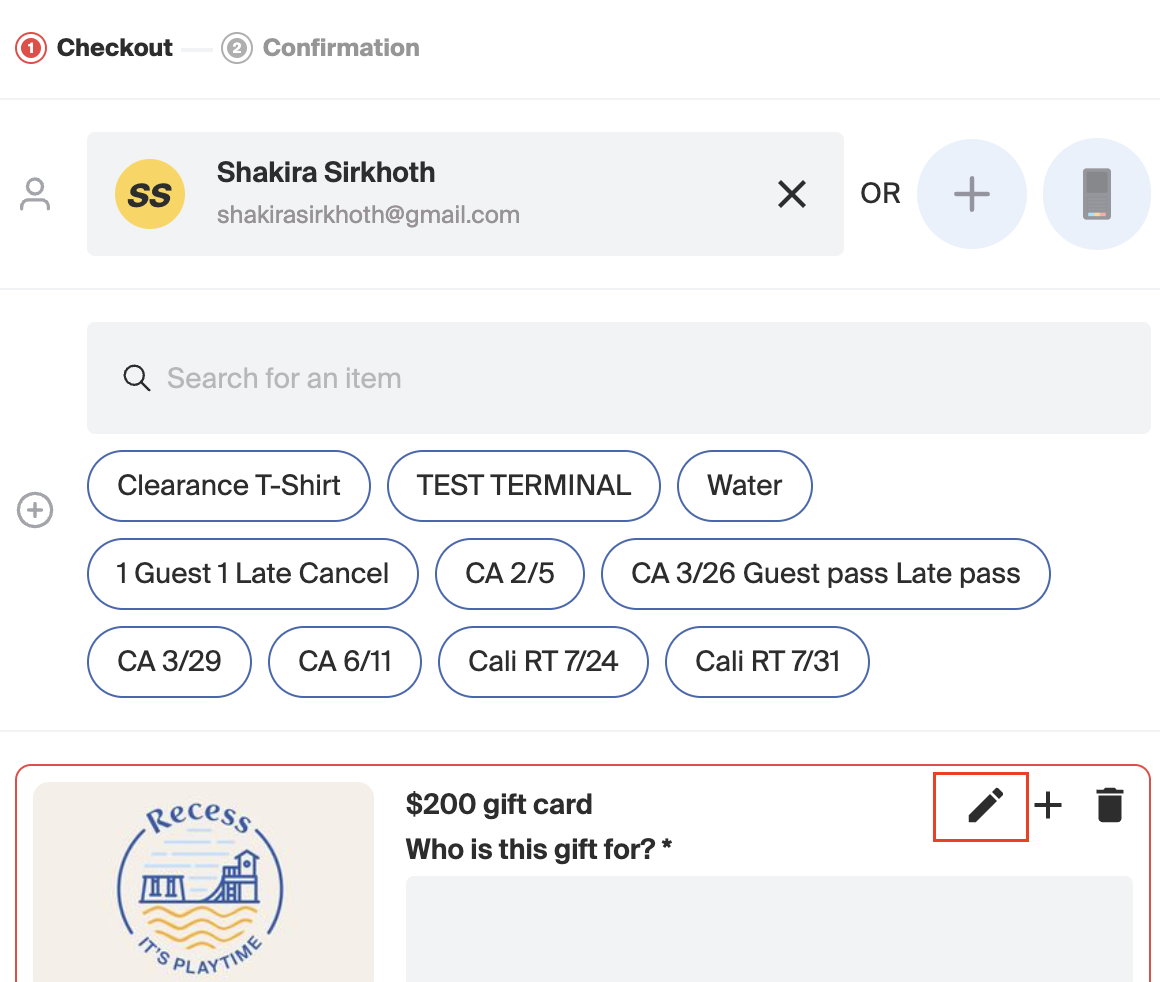
- Search for and add items to the cart using the Search for an item field, or click one of your saved shortcuts (for example, Boston Retail or Jerry Pack).
Step 2 - Options & Information in the Cart

Editing Price
-
Click the pencil icon on a cart item to open Customize.
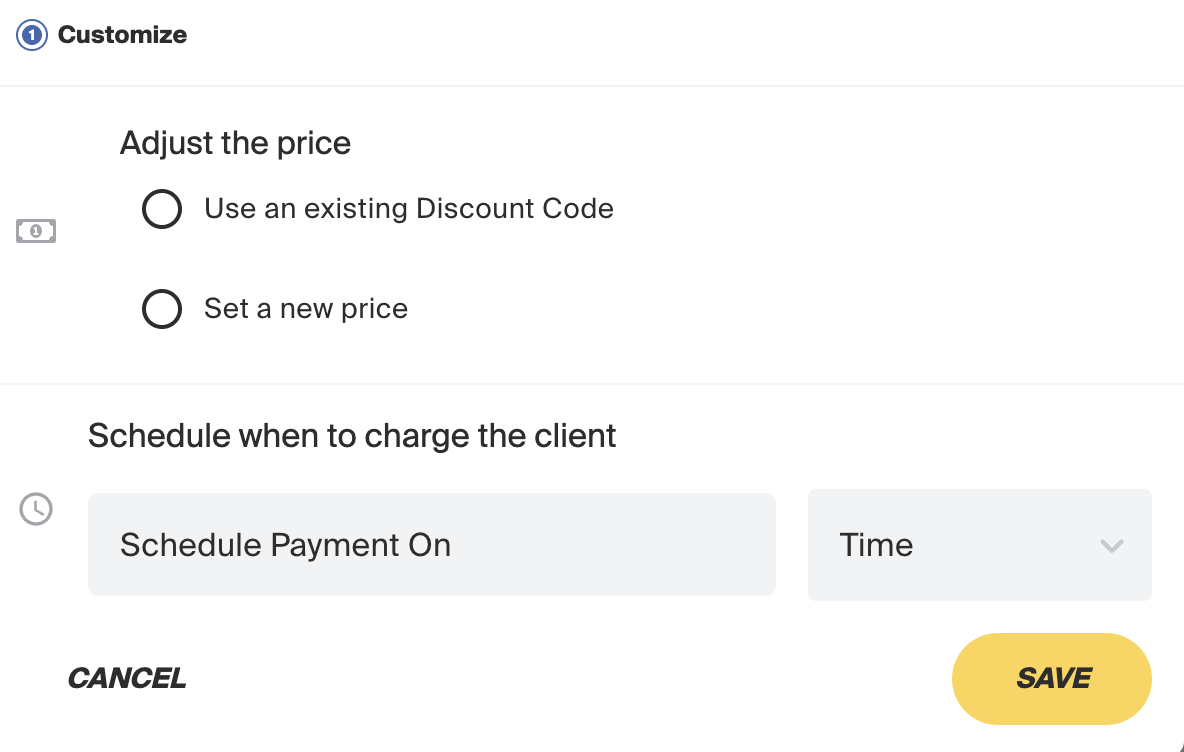
- Under Adjust the price, choose Use an existing Discount Code or Set a new price.
- Optionally, under Schedule when to charge the client, set a Schedule Payment On date and Time to delay the charge instead of collecting it today.
-
Click Save.
Add for Free:
Open Customize, choose Set a new price, and set the price to $0.00.
Discounts, Gift Cards, Account Balances
- Click Add Discount to reveal the Active discount codes dropdown, or Add Gift Card to reveal the Enter Gift Card Code field, then click Apply.
-
Any balance on the client’s account appears automatically above these options.
Payment Method
- Under Payment, click the Add a payment method dropdown.
-
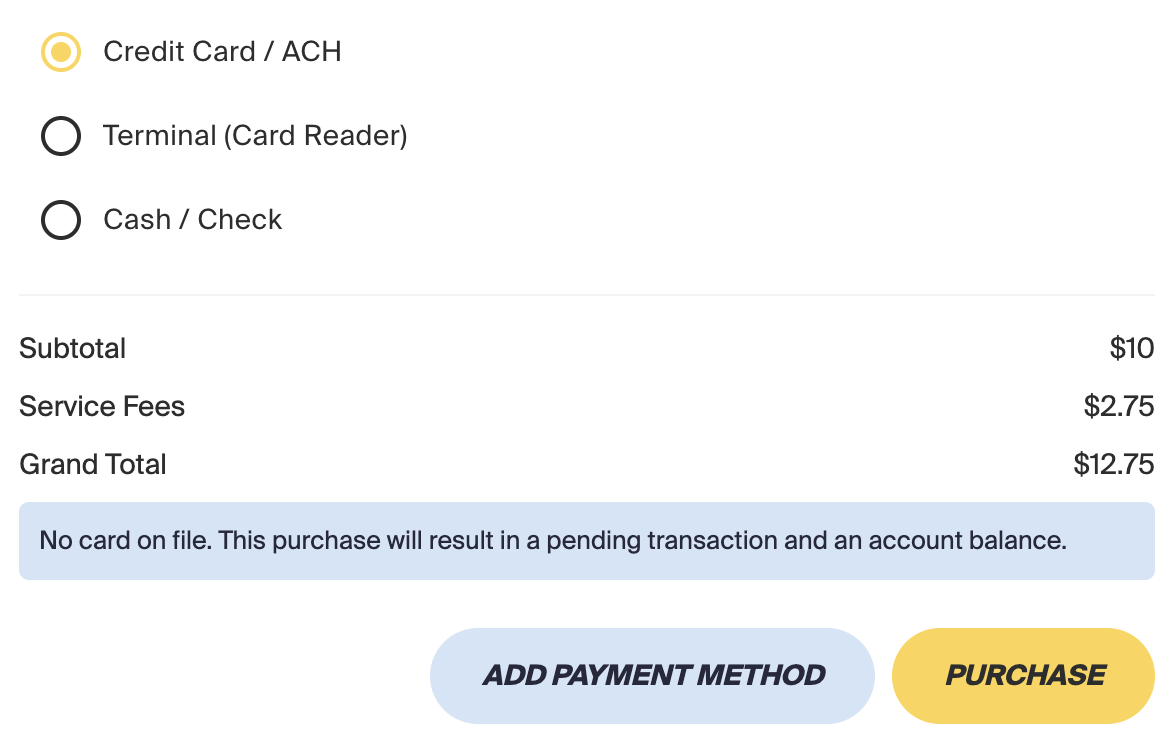
Choose No card or bank on file, Card reader, Cash, or click + Add a payment method to save a new card.
No Card on File:
If no payment method is on file, a note appears: “No card on file. This purchase will result in a pending transaction and an account balance.” Pending Transactions, if enabled, still allow the purchase to go through.
Adding a User to a Class/Package
- Click + Add User (or the + icon next to a client already in the cart), search for the client’s name, and proceed to checkout.
- For classes, the cart shows Redeemed with Package if the client has an eligible package. If they don’t, go back and add one - Recess will use it to book the class automatically, as long as the class hasn’t started yet.
-
Private classes and appointments still use the older checkout flow.

Adding a Guest Mid-Checkout:
On a cart item, use the Find a client dropdown under Guest Details, or click Or add somebody new and enter their First name, Last name, and Email directly in the cart - no need to leave checkout to create their profile first.

Need Help? Contact our support team at support@recess.tv if you have questions about using the Dashboard Cart.