Setting Up and Managing Memberships: Free Trials and Introductory Offers
In this article:
- What are Free Trials and Introductory Offers?
- How do I create a Free Trial or Introductory Offer?
- How can I tell if a client is on a Trial Period?
What are Free Trials and Introductory Offers?
Free trials and introductory offers are a great way to get clients in the door and have them test out your classes before committing! You can add free trials and introductory offers to Packages or Subscriptions. You can customize the offer to any discount and length of time. After the trial period has ended, clients will renew at full price.
How do I create a Free Trial or Introductory Offer?
To create a free trial or introductory offer, you can either edit an existing membership or add an introductory offer to a new membership.
- Refer to the guide on how to create or edit a subscription.
- Refer to the guide on how to credit or edit a package.
- Once you are in the membership create/edit form, you will see the option to Add an introductory offer on the right-side menu. Toggle this on to set up your introductory offer.
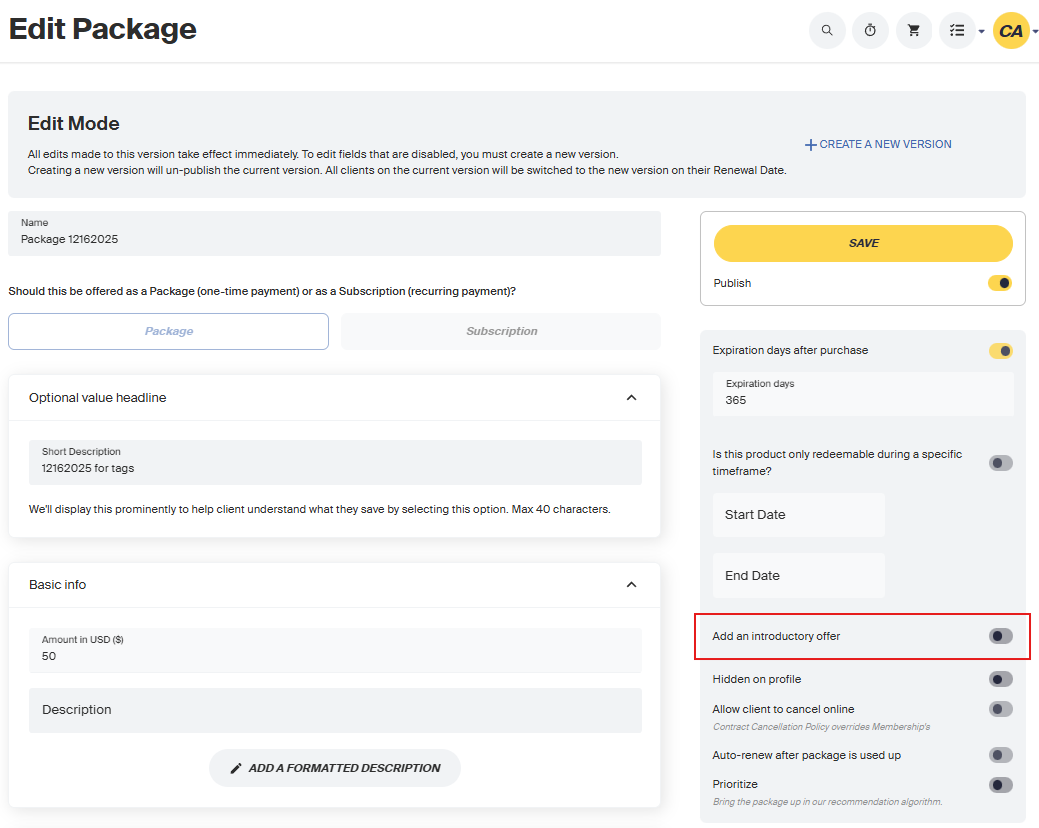
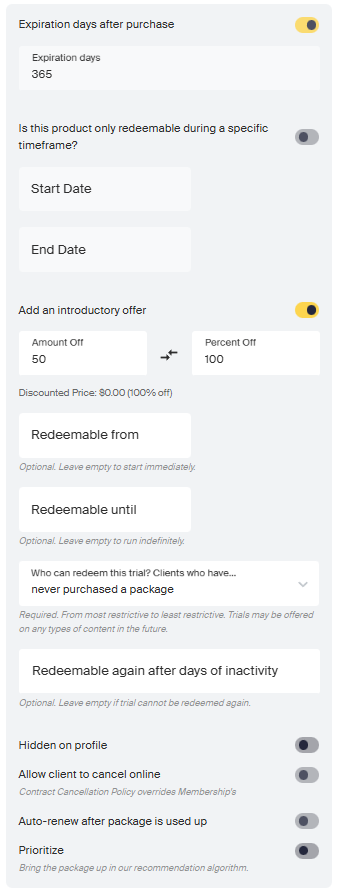
Fill out the fields to set up your introductory offer:
a) Kind
- Choose either Free Trial (100% off) or a Discounted Price.
b) Trial Duration
- If you choose Free Trial, select the number of days the client can use the membership before it auto-renews at full price.
- If you choose a Discounted Price, the introductory offer will auto-renew at full price after the membership’s renewal period.
c) Redeemable From and Redeemable Until (optional)
- These dates determine when the introductory offer is shown to clients.
- Leave Redeemable From empty to start immediately.
- Leave Redeemable Until empty for the offer to run indefinitely.
Example:
- A package costs $500, with a $100-off intro offer redeemable from May 1 to May 31.
- If purchased on April 30 → $500
- If purchased on May 15 → $400
- If purchased on June 1 → $500
d) Who Can Redeem This Trial?
- Choose one of the available options in the form.
e) Redeemable Again After Days of Inactivity
- Decide whether clients can redeem the introductory offer again after a set number of inactive days.
- Leave this blank if the offer should not be redeemable again.
- Once you’ve filled out the rest of the membership information, click Save. Your free trial or introductory offer will then be live.
How can I tell if a client is on a trial period?
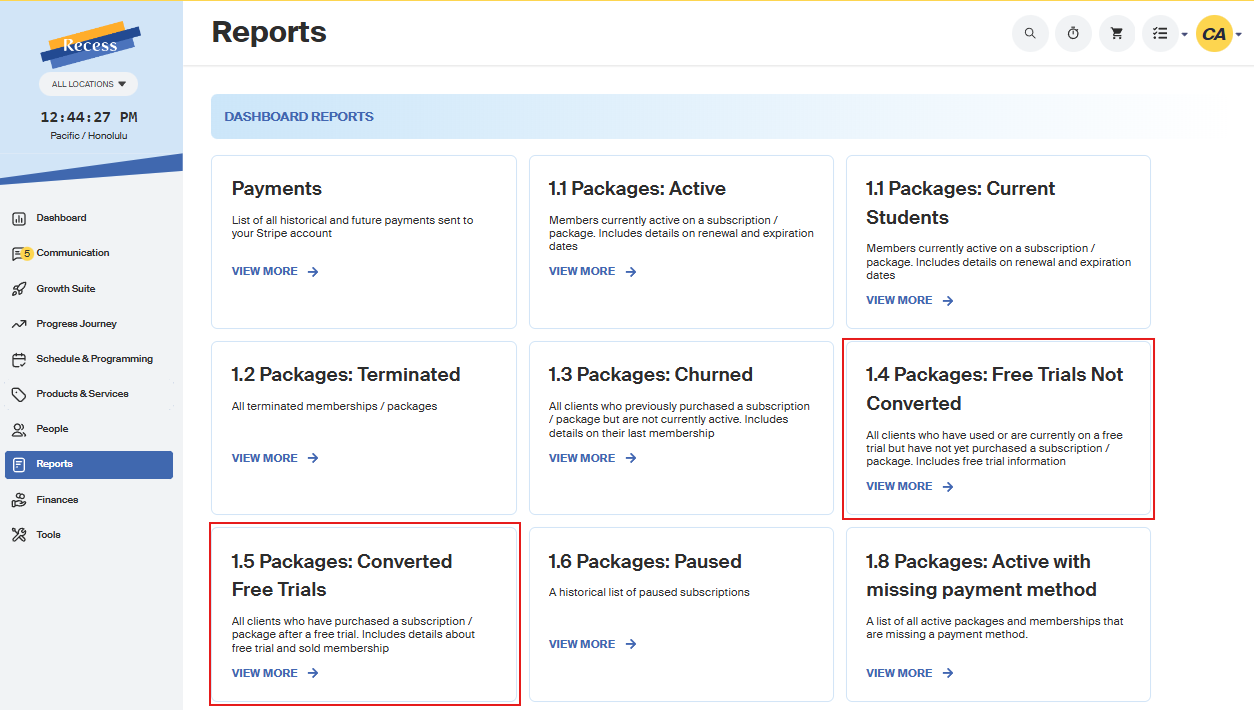
You can see a list of all clients who have redeemed an introductory offer in your Free Trials Reports.