
Add-Ons for a Series
Attach a retail item; a uniform, an equipment kit, a t-shirt, to a Series so clients can purchase it as part of enrolling.
Attaching an Add-On
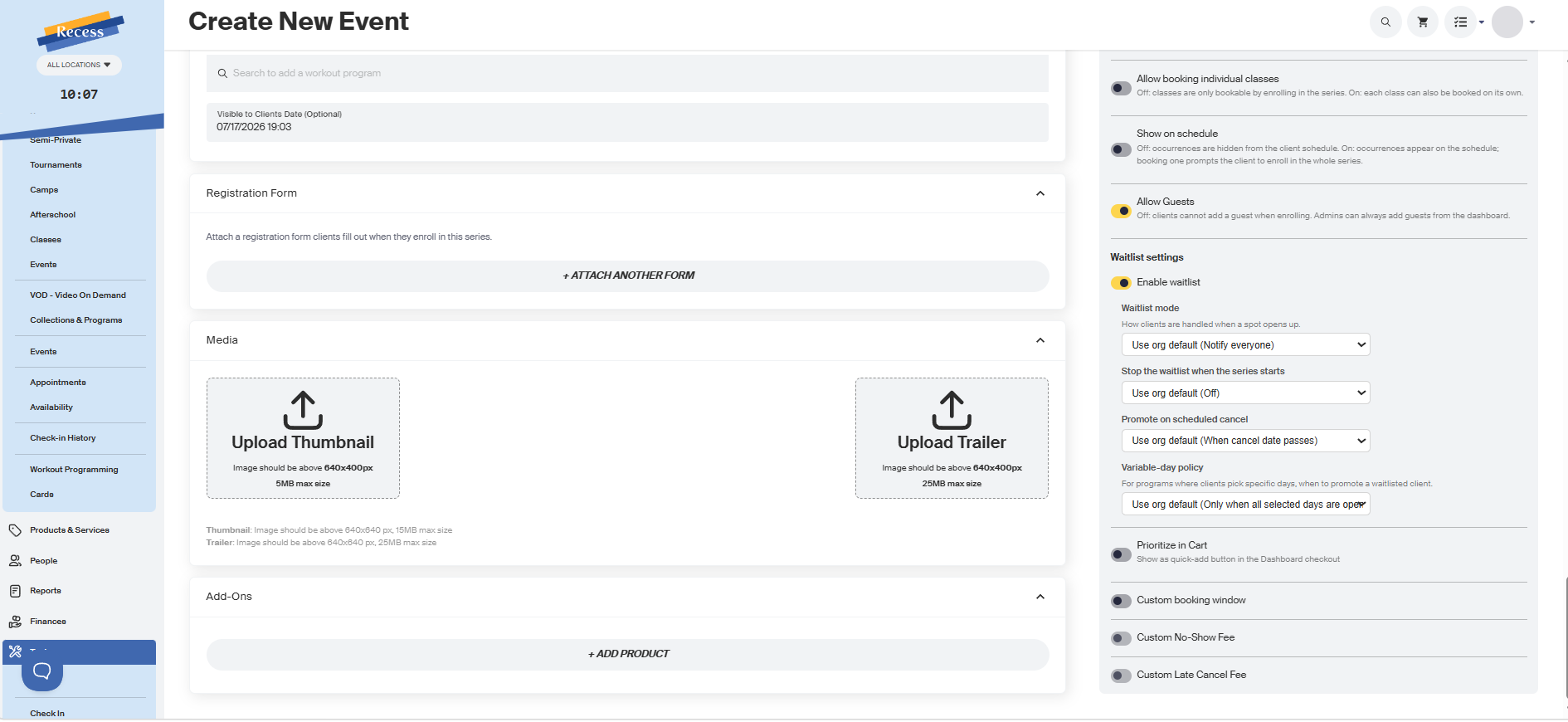
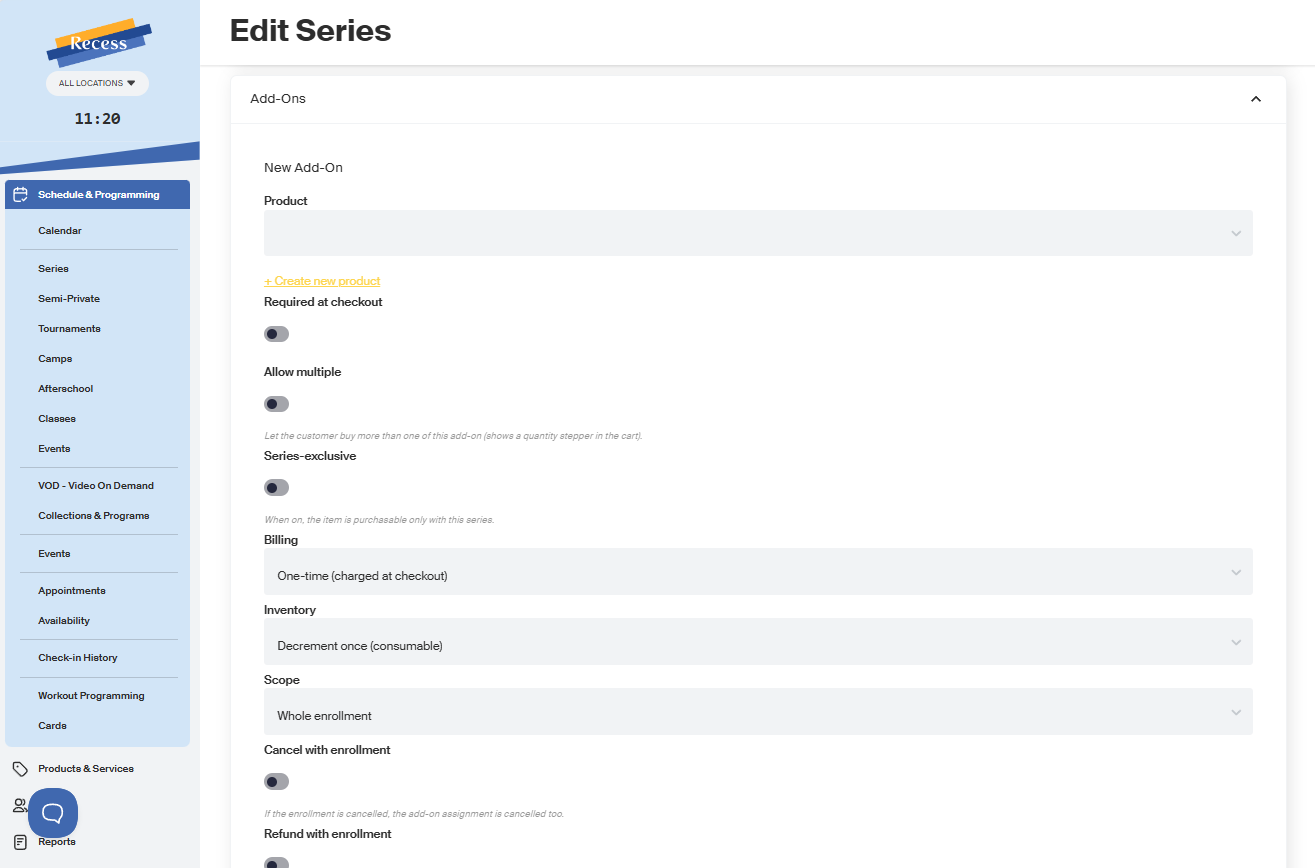
From the Add-Ons section of a Series' creation or edit screen, click + Add Product and select an existing retail item.
Each Add-On is tracked per enrolled client, not per Series. Every client who enrolls has their own requirement, purchase, and status for that Add-On.
Settings Per Add-On
For each Add-On you attach, you can set:
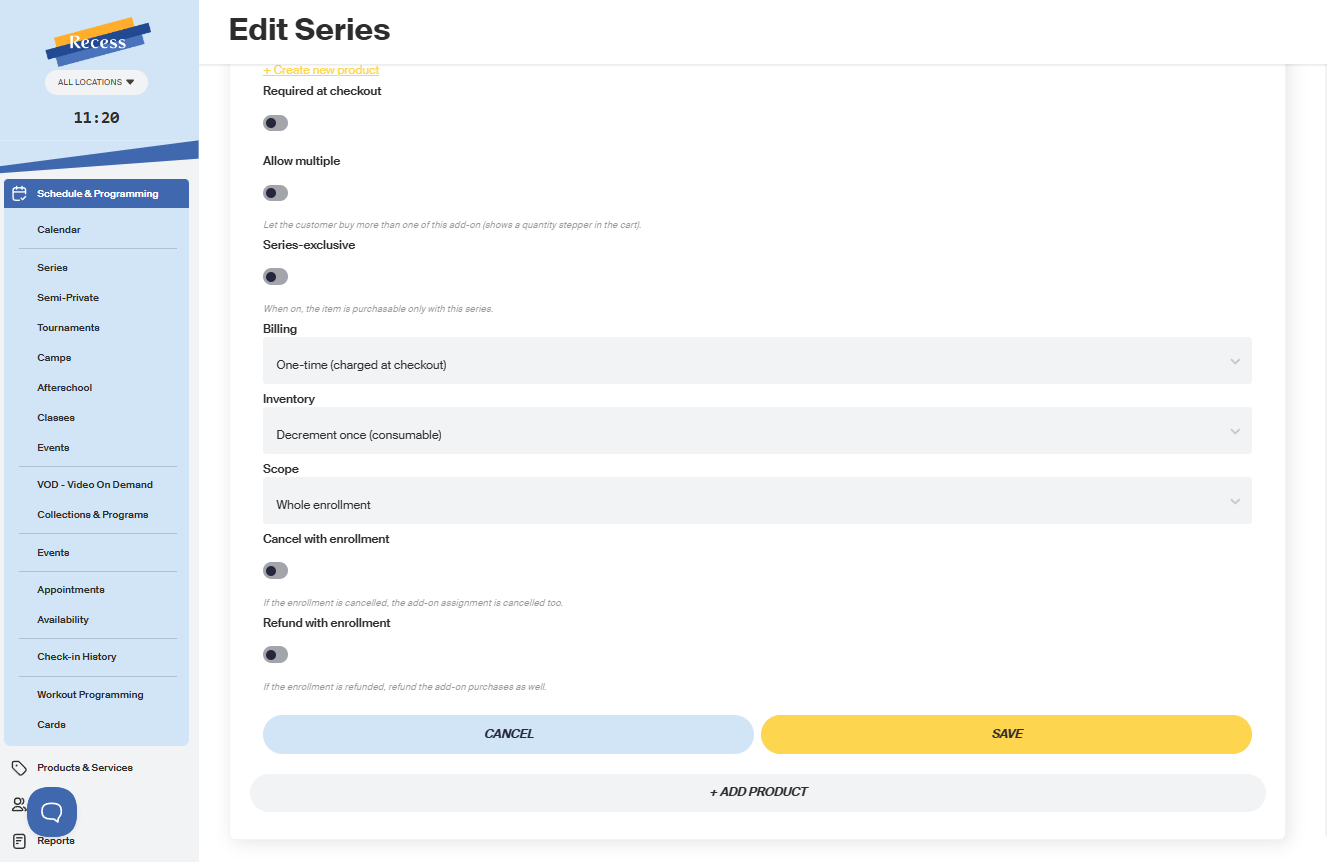
- Required vs. optional: required means the client must buy it at checkout to complete enrollment; optional means they can skip it and buy it later.
- Program-exclusive: when on, the item can only be purchased through this Series' enrollment flow; it won't appear as a standalone item in your general storefront/catalog.
- Applies to: the whole enrollment, a specific class, or a specific week within the Series.
- Cancel with enrollment: if a client's enrollment is cancelled, does this Add-On get cancelled too?
- Refund with enrollment: if a client's enrollment is refunded, does this Add-On get refunded too?
At Checkout
- Add-Ons are shown to each enrollee based on their scope: a class- or week-scoped Add-On only shows to clients attending that class or week.
- Required Add-Ons must be purchased before checkout can complete. In a transaction enrolling multiple people, each person must satisfy their own required Add-Ons.
- Optional Add-Ons can be skipped.
- Add-Ons purchased at checkout appear on the same receipt as the enrollment.
- If the item has variants (like sizes), each enrollee picks their own.
Buying an Add-On Later
A client who skipped an optional Add-On, or one you added after they enrolled, can come back and buy it, as long as they still have an active enrollment in that Series (and, for class/week-scoped Add-Ons, are attending that class or week).
Cancelling or Refunding
- If a client's enrollment is cancelled, their Add-On is only cancelled if you turned Cancel with Enrollment on for it.
- If a client's enrollment is refunded, their Add-On is only refunded if you turned Refund with Enrollment on for it.
These are evaluated per client; cancelling or refunding one person's enrollment never affects anyone else's Add-On.
Need Help?
Contact our support team if you have questions about setting up Series Add-Ons.