
How to Delink a Sub-account Email
If a subaccount member needs their own separate email instead of sharing a parent account email, you can delink them in just a few steps. Changes take effect immediately.
Steps
- Head over to the profile of the person you'd like to delink.
- Click the pencil icon. A popup will appear with two options:
- Give them their own email (Delink)
- Change parent email
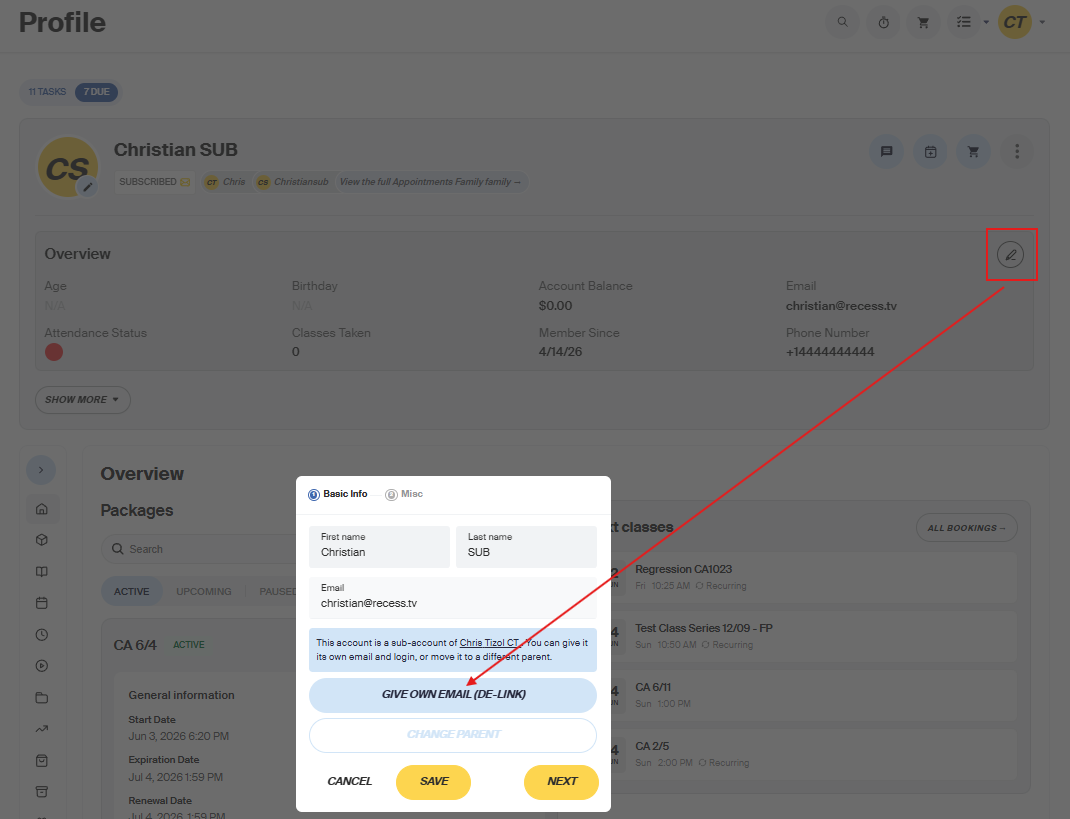
- Select "Delink." Another popup will appear prompting you to enter their own email address.
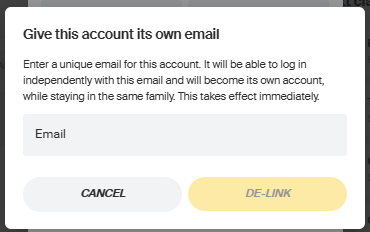
- Enter the new email address and click Save. The change takes effect immediately.
Need help? Reach out to our support team and we'll be happy to walk you through it.