
How to update your payment method in the app
If you need to update your payment information, follow these steps to easily add a new card or link your bank account:
- Open the app on your device.
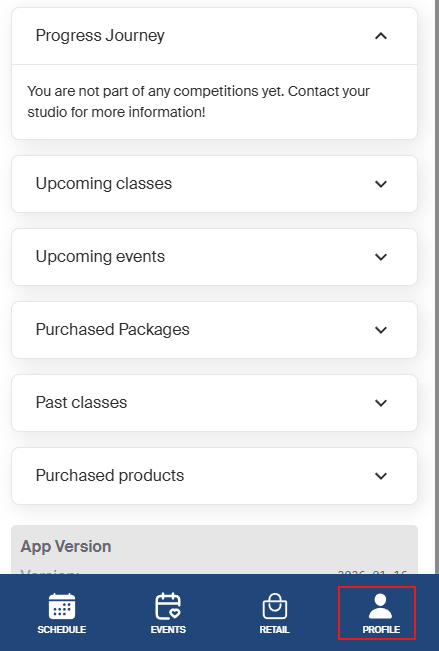
- Tap on your profile in the bottom right corner.
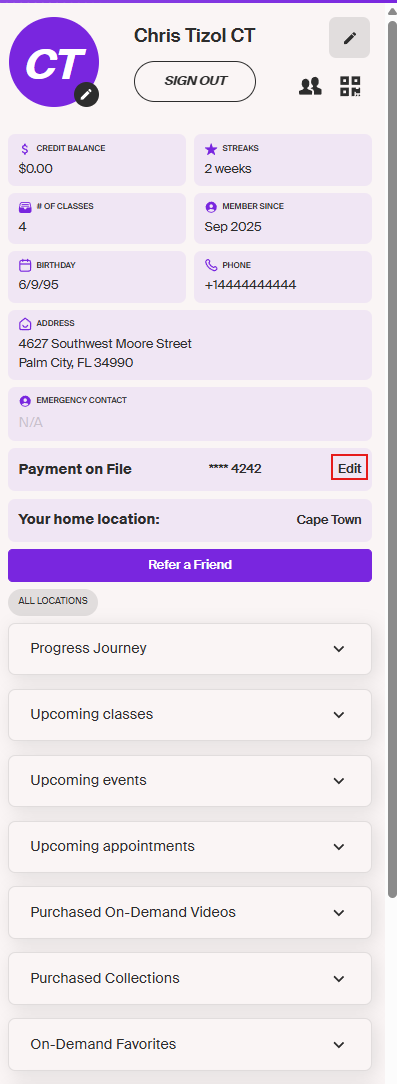
- Look for the option “Payment on File”.
- Click on Edit next to your current payment method.
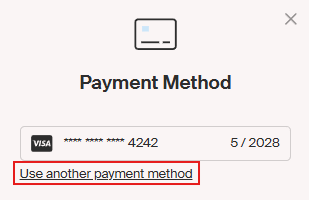
- Click the hyperlink “Use Another Payment Method”.
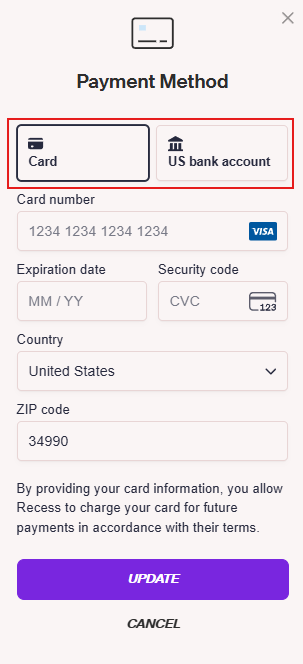
- You can either:
- Update your card information, or
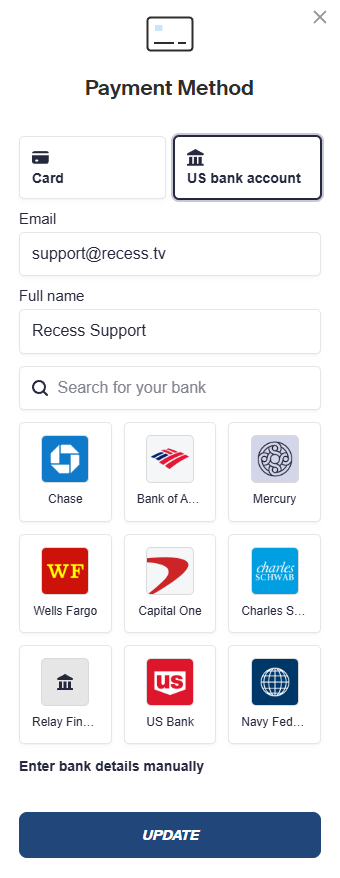
- Click on “US Bank Information” to link a bank account.
- Select your bank from the list of options or use the search bar to find your bank.
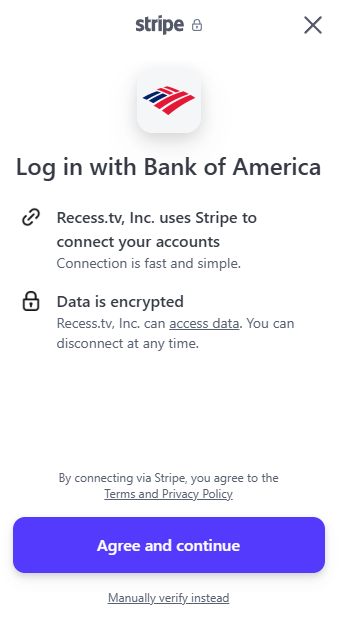
- A pop-up will appear prompting you to Agree and Continue, tap to proceed.
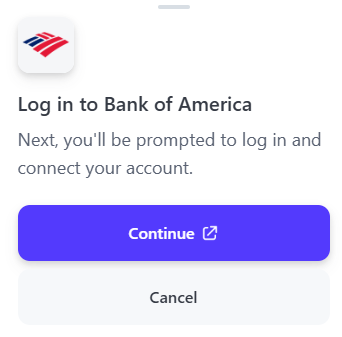
- You will then be prompted to log in to your bank account.
- Once logged in, select your account, and you’re all set!
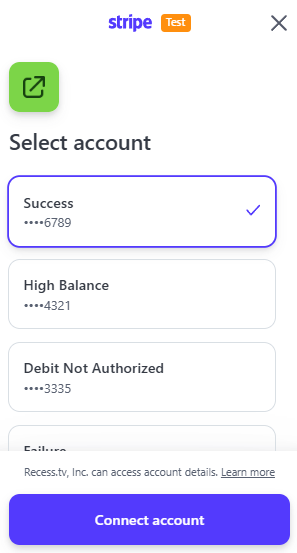
Your new payment method will now be saved and used for future transactions.
You can also enter bank details manually.
- Instead of selecting the bank of preference, you can click on the hyperlink below the options, "Enter bank details manually."
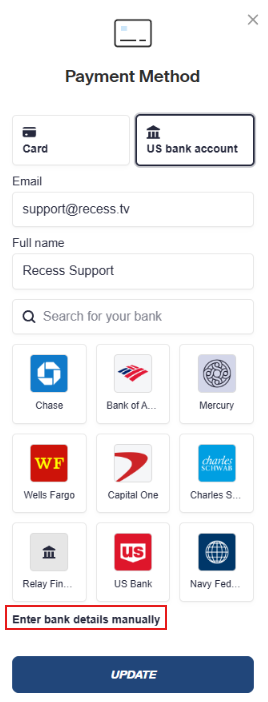
- You will be prompt to enter your details
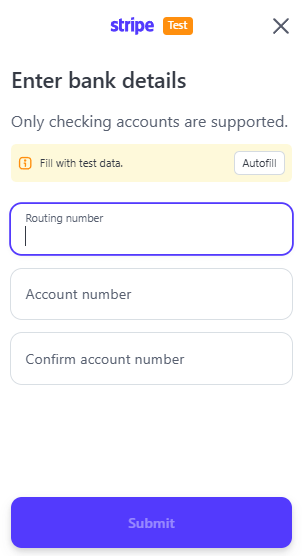
- Once done click on "submit."
You are all set!